Showing posts with label nptech. Show all posts

Monday, April 3, 2017

My #17NTC Notes (spoiler- it rocked!)

Another year, another amazing NTEN NTC! It came and went so fast! It was one of my favorites because I took more time to spend with some of my favorite Nonprofit Techies!

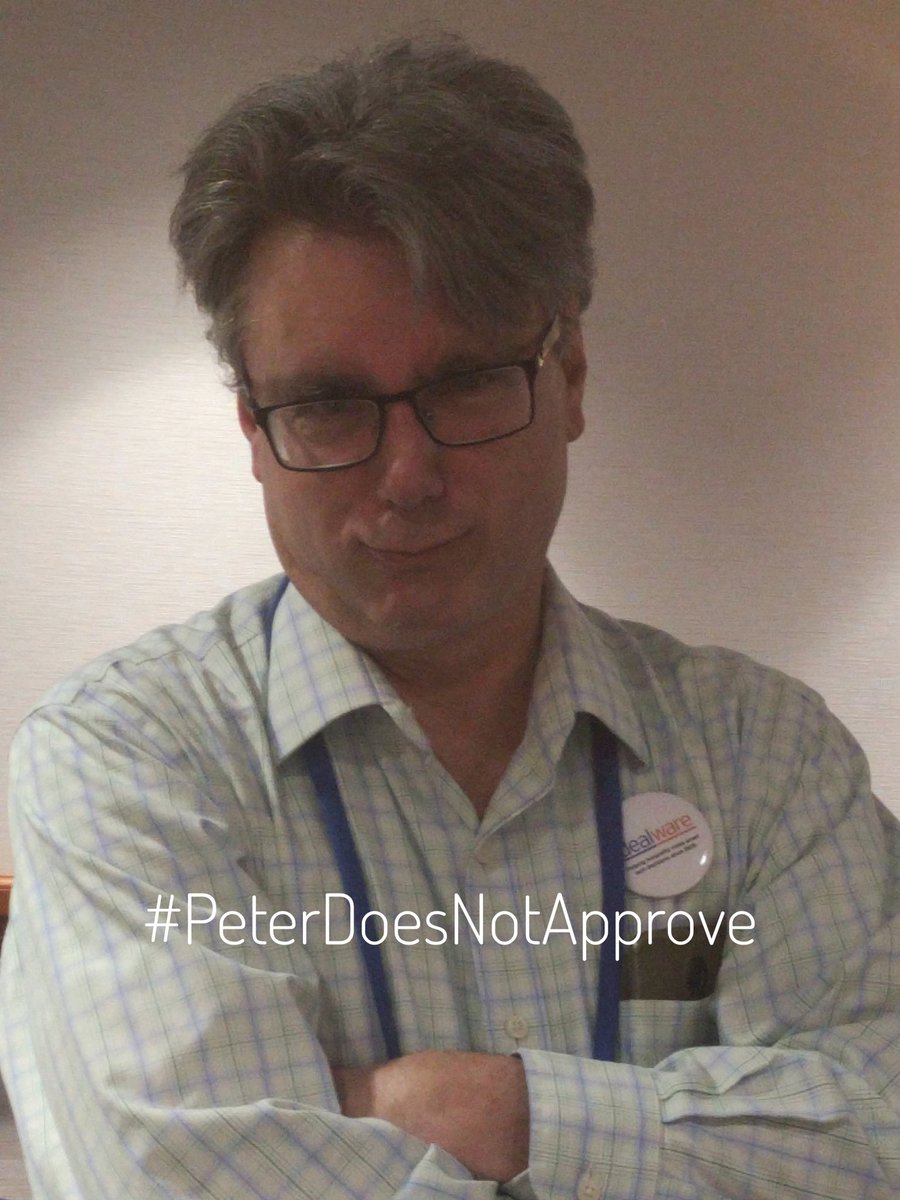
Each year I follow in the inspiring example of Peter S. Campbell by sharing what I learned at the NTEN Nonprofit Technology Conference. Be sure to read Peter's Post. And here is the Peter meme we tried to start this year.

But to start, here are a few awesome overheard quotes:
  • "I'd love to play with your API."
  • "if your exec director loves your website, you did something wrong."
  •  "if all of your file names end with "file really really final-final version.xls" you probably need better document management"
  • don't be ashamed to say you don't know how to use a tool or do something, we have all been there. 

Weds, March 22

#NTCBeer!
 #17NTC #NTCBEER was awesome!  Started with dinner with some long time friends and continued with some awesome brews and conversation making for a great night. This is a can't miss event if you come to the conference.

Thurs, March 23

Ignite Plenary!
There were less Ignites at the plenaries this time. A few were great, a few seemed like commercials.  Here are a few highlights.
  • starts with fail story of pricing change from vendor. Yikes! Tip know what you need & make it sustainable
  • so many fail stories start with learning "that has been done" but we decide to recreate it anyway, cuz we are unique
  • know your strength & value, don't fear collaboration & good software takes a team (not just cute boyfriend)
  • I feel like Clay Aiken, always coming in 2nd place.
  • fail story about ridiculous 7 stage, multi hour, meal eating & chart quiz. Ehhh wrong answer, security will escort u out
  • we all need bad experiences to show us what we really want & where we should be. Learn from failure.
  • how we react to failure is often more important than trying to avoid it.

Real World Business Analytics in Action
Live BI demo using Tweets
Many nonprofits struggle with communicating data. Some jump to visualizations without considering their goals or audience needs. Some have a clear idea of whom they are trying to reach, but don’t know how to best tell their data stories. Here are a few thoughts:
  • sometimes you have to start with what you have for analytics, even if it is bad & in numerous places
  • tools like data warehouse &  BI rock but we can't get funding for it to prove it is worth it
  • often first 15 seconds of looking at dashboard is all it takes for people to determine if it has value to them
  • visuals on a dashboard matter, they tell stories &  create interest
    Live BI demo with worldbank.org data
  • predictive tries to guess future, prescriptive tries to control it
  • typically 5% create the reports, 95% use them. Today's BI allows direct report BI creation to end user
  • enjoyed the laughter when Microsoft presenter asked about using Bing... Have fun with who you are
  • www.WorldBank.org has free datasets available for your analytics
  • combining bubble size &  y axis &  x axis with allowing chart to change with time tells a real story (see image to right)
  • gone are the days where your only data source is your internal database. Think social &  so many others
  • cleaning the data before BI reporting can be tedious. get the right tool &  spend the time tho, it is worth it
Welcome to the Future: Mobile Wallets, Payments, and Philanthropy
With so many different payment methods, it can be cumbersome and confusing to think about which methods you should or can accept and how secure your donor data is through these methods.
  • when thinking about mobile payments, consider your end goal (donations, events, engagement) & hire the data will be available to you
  • consider what countries you will work in: payment methods, phone &  tools will be different
  • digital wallets can dramatically increase the speed off making a donation. You don't have to fill out the donor info
  • text to give donation typically $5-$10, stats show higher donation with mobile wallet. But you tend to get more new donors with text to pay.
  • do your research on the platforms your supporters use before you select your mobile payment strategy. Analytics from website can help to determine what the makeup of your current supports is
  • know how pictures will get cropped when shared, if your logo/message is only on the bottom it won't show when shared
  • you can now add donation functionality to your videos on YouTube & your Facebook page
  • I wonder if by spending our time on social media & mobile do we get tech distracted & miss talking to people...
  • find change agent, need tech capability, be nimble, get data-permissions, legal risk & manage expectations
  • before going crazy with mobile payments, start with a good website with solid online fundraising to learn what works
  • key is to capture donations at moment you have supporters interest & attention, time kills conversions

The Role of Technology in Managing the Operations of a Nonprofit
I co-presented this session with Peggy Duvette from NetSuite and Kelly Bleach from the American Foundation for the Blind.  It was a fun session with Legos and Jenga. Plus there was a lot of great content. Feel free to check out the preso slides and the shared notes: https://docs.google.com/document/d/13duIVZAk_u8iXAKSIUGvN3tQXsAUQfmfdvAhQ11_YOQ/edit

Fri, March 24

The Fully-Informed Approach to Calculating Return on Investment
How can one determine whether an investment is worthwhile? How can we align our spending more tightly with our objectives? What tools and strategies support the formation of reasonable assumptions on the likely return on investment?

Visit the Collaborative notes for this session with the slides!

Mostly went to this because Peter Campbell presented and I always make sure to make time in my schedule to heckle him, but he is super smart! And Peter did not disappoint, it was awesome.
  • Getting the right buy in is always key! (Love the humor-slides from @peterscampbell ! see images to right)
  • to really get ROI realized, you have to follow up & ensure solution gets implemented & used
  • when ROI is about staff- using a survey before/after change can be effective to show change
  • Measure ROI in $ when you can, but list all benefits you can't monetize to see if those benefits are worth cost
  • ROI is unique to your org= your staff skills, existing tools, expertise &  other are all factors in cost/benefit
  • always consider the staffing changes needed for ROI! Will it work for your existing staff & if not.... (changes in staff, positions or training will be required.)
  • EVERY technology decision is a business decision! Know the impact of those decisions!
  • we need to be good stewards of $. Do the ROI work & research on your decisions.
  • combining ROI (return on investment) & TCO (total cost of ownership) can be powerful info
  • often patterns of cost & trends can also inform your ROI (staff retention, system usage, # of workarounds)
  • ROI can depend on knowing difference between Output (we help them get a job) & Outcome (no longer in poverty)
  • assessments are great when used correctly. But self assessments only work if you know yourself & are honest about it.
  • sometimes assessments are more effective when questions are asked across org, not completed by just one person? Multiple perspectives really adds value

Leading in Uncertain Times
These are uncertain times in many ways, but one uncertainty many nonprofits can relate to is funding changes (which seem to be a big topic right now). Peter and Dahna did amazing navigating this discussion and leading the crowd to some energetic conversation.  I have never seen so many people like a session with three slides on layoffs.

Visit the Collaborative notes!
  • It seems that the only certainty today is uncertainty.  So how do we handle it? big hint-get ahead of the crisis
  • Never let a good crisis go to waste! @dahnag (love her & this thought)
  • during uncertain times, keep mission & strategic plan as compass. And don't wait for a crisis if you see it coming.
How leaders should communicate
  • Be Carefully responsive! Don't overreact. Listen. Pay Attention. Be aware. Support and show you care-understand
  • As a leader, set the tone. Communicate. Be direct, but sensitive. Have a clear message.
  • Leaders are trained to leave emotion at home. But uncertainty=ANXIETY! Be aware of this & be proactive on it.
  • Uncertain times (crises) can be awesome opportunities to start a different conversation with your funders.
  • Say to funders: "you have seen the uncertainty in the news, we appreciate your support, but we need to change." – use this as a way to ask for operations funding – not restricted or as a way to ask them for more.
  • during short term crisis don't let it Street you from your long term goals. Strategic plans are key, just adjust 
  • be honest but not create fear. find the balance of reality and hope.
  • if executives aren't transparent, the rumor mill will take over. Lead by being open, don't hide it.
  • leaders might think "talking about it creates panic", but reality is silence is often worse.
  • never forget about the role of the Board during uncertain times.
  • transparency is key in uncertain times, but don't feed rumor mill. APPROPRIATE level of candor &  tone
Have a plan. And the best time to plan for uncertain times is during stable times.
  • Hope isn't a strategy. Have a plan. Setting direction & being able to share it helps address uncertainty.
  • Brainstorm w/ key players at uncertain time on worst case scenario vs likely, then plan for it. assess risk
  • Having a conversation before you absolutely need to have that conversation goes a very long way. 
When uncertain time hit:
  • in uncertain times, don't hesitate to renegotiate with vendors, it is better than just losing you
  • avoid big risks in uncertain times, but great time for small experiments. necessity is mother of invention.
  • find other orgs in similar uncertain times so your leadership has a peer to talk-commiserate with
  • when majority of budget is staff, so in crisis layoffs can be necessary. Don't avoid the conversation internally
  • when dealing with layoffs, involve the right people. Make decisions on impact & position, not the people.

Sat, March 25

Nonprofit Execs Talk about Strategic Assessment
This interactive panel discussion featured nonprofit execs sharing how strategic assessments changed their organizations.

Visit the Collaborative Notes!
    My favorite thoughts
    • we aren't getting things done, so let's just work harder & longer! Yep, that will fix it. not.
    • our staff have been here a long time ="institutional knowledge"... Otherwise known as, "we are set in in our ways."
    • we've always done it that way & now we need a better system to keep doing it the same way. not.
    Reasons to do an assessment
    • how do you move from being band-aid applier to silo destroyer? A strategic assessment may help. 
    • often staff want to make real change but are so buried in what they do that they just can't change
    • we're getting by & things are fine, why change? That is actually the easiest time to improve, rather than after a crisis
    • we don't like assessments, just like we don't like looking in a mirror.
    • we all think we want an assessment, but we fear or don't want to face the results or make the hard changes
    During an assessment
    • a HUGE outcome of assessments is the conversation that happens during Discovery. Let's make our org GREAT AGAIN!
    • your staff wants to be heard & provide strategic input. An assessment gives them that chance.
    • a solid strategic assessment can take 2 weeks, 8 hours a day, to give each dept-staff time to talk=an investment
    • scale the time/scope of a strategic assessment to match your org size, culture, needs, etc. Not one size fits all
    • during an assessment, you will find things that you didn't even know your org or staff does.
    • an assessment is only as good as the changes & actions you take based on it.
    • staff can't think past what they do today. just saying think outside the box doesn't help. Lead them with questions.
    • Avoid having managers in room while staff provide their insight in an assessment, it will be more direct & honest
    After the assessment
    • if your system doesn't work the way you want, ask yourself should I change how I work?
    • assessment is done, review results w/team. What is important to change, can be changed & celebrate what you change
    • create a budget for change based on the assessment & set aside time to make the changes or just don't bother
    • NOT everything from an assessment has to go through your board, just make the operational changes needed.
    • Peeling back the layers of the onion to see how bad we actually smell... Reasons to do strategic assessment 
    • helps to take the time to have staff review the assessment report to verify it is what they meant.
    How to Automate Workflows to Become a Truly Data-Driven Organization
    We'll review the steps involved in moving an organization to full workflow automation, including technical steps and organizational buy-in. We'll also cover ways to ensure that automated workflows are accessible to individuals with different technical skills.

    Visit the Collaborative Notes!
    • why do we design new reports to match the spreadsheet we used to use but hated....?
    • automation isn't just about those massive efforts, think about those 10 minute tasks you do every week, they add up
    • know when to automate. A 10 minute task you do quarterly which would take a week to automate isn't best idea 
    • Automation can be (and often is!) hacky.  Might not be beautiful. Goal is to make it work for you.   
    • if process has alot of copy/paste or waiting to click next between steps, then it might be a good one to automate
    • let me repeat. See if you can use the systems you already have better, before just running out because you saw some new awesome tool
    • before you automate, document the process/flow (even just using post-its on the wall 
    • adding a map to a dashboard or report will always make people cheer, but who cares if it doesn't tell a story


    FUN!
    I got to go all Office Space with Peter Campbell and Dahna Goldstein!

    And had the wackiest, loudest and best conference dinner ever with Lindsay Bealko, Marc Baizman, Tim Lockie and Marisa!


    Tuesday, July 5, 2016

    The more NPTech changes, the more NPTech stays the same

    A few of my last posts have been about how things have changed and all of the differences.  But in the midst of all these changes and progress, it amazes me how so many things haven't changed at all. Back in the late 90s I was hired at to do Software Support because I had an understanding of fiannce and accounting with a knack for technology.  The real need wasn't a technical one, it was a business process and financial management one.

    Today it seems the same. We have better technology than yesterday, but I talk to so many nonprofits who understand technology is important but don't seem to know how to change their org to use it.  This was a big part of why YMCAs came together to help with the IT Alignment model.  We needed a way to express the types of changes needed as you mature how you use technology. You can read more about IT alignment on a special section of my blog.

    But understanding how to mature your use of technology was just a first step in this for me. But the next step was in this was how to think this trhough in terms of your technology plan.  So the next evolution was to focus on how it relates to your technology plan. Focusing on how to pull it all in to a strategic plan just didn't seem to work. If your tech is just starting out in Chaotic or Reactive a strategic plan is just too much. And at some point a strategic plan just doesn't seem to be enough.  This lead to a session called Tech Smackdown: Tactical, Strategic vs Mission Planning.

    But rather than tell you about it, here is a recording of a session I did on Tech Smackdown: Tactical, Strategic vs Mission Planning. This was recorded at the 2015 Legal Services Tech Conference.


    Monday, August 24, 2015

    Custom Software! We are so unique and complicated!

    I can't count the number of times I have heard nonprofits say:
    "Our needs are very unique, most systems won't work for us."
    "We have a complicated model and process, it is hard to explain."
    "We have limited tech experience, so we just do it all in Excel."
    "We are too busy, we need to hire more staff to keep up."
    There seems to be this peer pressure to brag about how unique a nonprofit's needs are. (This isn't any different than everyone bragging about how over busy they, like that is a good thing.) You aren't cool unless you are complicated. I don't get it. I know the problems nonprofits are trying to solve are massive and messy. Funders and donors exaggerate this on occasion by favoring those with a new approach, all while requiring unique reports and often not funding technology. The problems nonprofits have are real, but are we taking the time to rethink how we work to match the opportunities technology brings

    Over the next few posts I will cover some of my thoughts on complicated process combined with custom solutions.
    1. Complicated vs Complex
    2. Custom Software = Custom Problems
    3. Custom Process vs Best Practice
    These ideas have been growing and changing in my head for years, but my new job has finally brought it all full circle. I finally have some close to complete thoughts on this. Which is good because some of these things have been driving me crazy for years.

    Wednesday, March 11, 2015

    What I learned at #15NTC!

    The annual NTEN Nonprofit Technology Conference is something I look forward to all year long! And #15NTC did not disappoint! I saw old friends, made new ones and learned tons!

    NPTechies rule! This year had a good mix of sessions for the Techie!  We had security, contract negotiations, help desk, IT alignment, analytic, data, CRM, disaster planning and so many more. Loved seeing a theme of "People, Process and Tools" come from numerous sessions and different speakers! I was worried sessions on Ello and Crowdsourcing would crowd out the IT staff. oy. Big kudos to peeps like Peter S. Campbell for laying the groundwork to keep tech tracks alive (be sure to read his recap of #15NTC).

    Weds, March 4


    Ignite Plenaries!
    The first round of ignites were great with quotes like:
    Speak your mind, even if your voice shakes. from @jiandamonique
    Be a mindful techie! #15NTC ignite. Savor the moments. Put your phone to bed and rest. Take time to focus.
    "ie8 is a dumpster fire dressed as a web browser." from @dotcarly: Ha!
    But the group on Friday really inspired me! Debra Askanase showed true bravery and shared a personal story about overcoming challenges with math. My favorite paraphrased quote was:
    "I decided failure was not my story. Fear can not box me in. You can change your story." 
    Then I enjoyed the play on semantics with Liza talking about how we should not "use" our volunteers. We use toilets, not volunteers. They are partners.

    (And of course to the right is a video version of my ignite from last year, since Scope Creep did not get to perform this year)


    Help Desk or Service Desk: Either Way, How Does IT Become a Partner?
    It was amazing how much attention this session got since it was about Help Desks. I presented with Dar Veverka and John Cronin and it went super well! The key learning on this one was that most of the audience was already doing parts of service desk and didn't even know it.  But everyone appreciated the structure and more defined approach we offered.

    Some key points:
    • A help desk is about responding to users needs, while service desk is more proactive and changes the way the organization works
    • A service desk is focused on providing expertise, structure & tools to improve processes across the organization
    • The process of implementing a service desk takes time and includes a plan for service strategy (policies, standards), design (plans), transition (change mgmt) and operation (daily support). 
    • The book ITIL V3 Small-Scale Implementation, is a complex but great resource to learn more about Service Desk


    Avoiding Disaster - A Practical Guide to Backup Systems and Disaster Recovery Planning
    This session was well run and the speakers (Dar Veverka and Andrew Rugninis) rocked, even lightened things up by sharing some stories about disasters they had faced (mostly water & monkey guts following Andrew around). Some key points:

    • Disaster plans should be iterative. Start with basics, then build over time. 
    • Disaster planning can be lead by IT, but should be an organization effort.
    • BIA - Business Impact Analysis combined with level of risk is a big part of how to prioritize in your Disaster Plan.
    • Knowing which key team members & vendors you will go to when a specific event occurs is critical.
    • There are a large number of backup options these days; cloud, drives, NAS, tapes, etc. Balance cost, ease & speed. 
    • Even if you are on all Cloud services, you need a backup. Crazy things happen when nature or humans are involved.
    • When fighting a disaster. Stop. Communicate first. Then start fixing. Admit problems, don't hide it. Establish trust.

    Thurs, March 5

    Strategy, IT\Mission Alignment and Outcomes -- How Do Yours Fit Together?
    This session was even better than I thought! I can't wait to find a funder or partner to turn this into a book, workbook and full training for nonprofits! (contact us if you are interested!) This session built off of the IT Alignment model plus the Tactical vs. Strategic vs. Missional concept! The idea is:

    1. Spend time understanding how well your technology is aligned to your mission using these tools on my blog
    2. Build a set of plans and strategies which correspond to your IT Alignment Maturity
    3. Implement the changes using the seven IT Alignment Super Powers from the SIMO model
    4. And voila! You have the concepts, strategies and tools to align your technology!


    What to do When Technology Isn't Your Problem?
    Just like the family dog, technology is often blamed for things that are not its fault. Many of us rush to replace the technology we have. If it isn’t doing what we want, it must be broken. The greatest database in the world can’t save an organization that isn’t functioning well. And expecting it to will only lead to project failure along with a lot of frustration and missed opportunity. Some key points from this session:
    • Triangle of success: corners=tech, people, process with mission at the center. If you focus on a corner, you will topple the table.
    • A good role for leadership is to clear time for all staff for big projects  
    • Something will go wrong with projects, chunk the project to minimize & brainstorm risks ahead of time.
    • Can't convince the CEO, see if you can build other management support on a smaller scale to build off of.
    • Features don't sell technology, it should be the value it delivers.
    • Never underestimate the power of demonstrating opportunity costs. Sometimes NO is the best answer.
    • Projects need a definition of success, but they also need a definition of failure. Create go-no checkpoints.
    • When you are overloaded & a new project is added, always ask: "what should I stop doing?"
    Igniting a Culture of Tech Innovation
    If nonprofits don’t innovate, they are going to lose talent, support, and funding to other faster, sexier tech startups. Let’s talk about how to create a culture of tech innovation in nonprofits, because we have people’s interests, not just the bottom line, at heart. Some key points were:

    • Good, documented process= you don't have to think about how to do your work as much, more time to innovate
    • process maps are great for innovation because they provide a visual representation to react to. 
    • attributes, attitudes & behaviors = Org Culture. understanding these can help you influence innovation.
    • a good innovation driver facilitates the change, rather than doing it
    • innovation success factors after starting, follow up, integration, top level buy in, inclusion
    • Often a good idea, is just that, a good idea. Ideas get implemented when there is a real need, urgency, owner or ???
    • Resources: Innovation Network, DesignKit.org, deckaholic.com, impactdesignhub.org, Standford Social Innovation Review, 

    Fri, March 6

    To be honest Friday's sessions were good, but the only session I attended worth mentioning here was:
    Adoption Shouldn't be an Afterthought: Making Sure your Organization Actually Uses the Technology You Implement
    Evidence shows that IT project failure happens more often than we’d like to admit in all types of organizations. The reasons for failure can be diverse, but at the root of many failures is lack of adoption. We’ll investigate the reasons that new IT systems don’t take hold in organizations, and how you can avoid these problems, starting from the very beginning of your project.  Some highlights included:

    • People may like a change, but may hate the disruption it causes & be snarky in the background
    • Include your skeptics in the project as project champions or planning. Don't avoid the conflict
    • documentation is key to adoption!- prelaunch feedback, living documents & human vs tech process
    • During adoption, watch for people returning to old habits or tools. Don't scold tho, find out why they went back
    • Talking about risks pre launch is good, but FIXATING on them causes them to come true. acknowledge, plan, move on. 
    • exec sponsor, org alignment, adopt plan, monitor success, tools - key steps to adoption
    • If a problem or conflict comes up in a project (or adoption), take the time to address it directly.
    • Silence is not a sign of support or all is well with adoption. Questions & complaints are better, at least they care

    Sat, March 7 

    Fishing with Friends at Lake Travis, best way to end a tech conference ever! Thanks to Scott Rockenstein for making it happen!


    Recap:

    All in all it was one of my favorite NTCs! I met some awesome new people and learned a ton. But lets see if we can get a social media campaign started to bring back #ScopeCreepTheBand at #16NTC!


    Tuesday, February 24, 2015

    Where I'll be at #15NTC!

    Each year I follow in the inspiring example of Peter S. Campbell by sharing where I'll be at the You should read Peter's post to see where he will be!
    Nonprofit Tech Conference.

    The annual NTEN Nonprofit Technology Conference is something I look forward to all year long! This event has helped shape my career and the orgs I have worked for, plus it has impacted a number of orgs and staff I have collaborated or shared with. I love it. Anyway, here is where I will be at #15NTC.

    HELP! Last year I made awesome plans to connect with people at Breakfast, Lunch and Dinner, but I don't have any of those plans yet, hit me on Twitter at @steveheye if you want to connect or leave a comment.

    Or you can read what I learned at #14NTC to see if it helps you want to go!

    Tues, March 3

    Volunteering! I will be helping NTEN stuff bags and such all day if you want to come find us to help!

    #NTCBeer!
    A mix of nerds and brew, need we say more? Celebrate the 7th annual #ntcbeer, the pre-conference party known for good refreshments and better conversation. Catch up with nptech friends old and new over a few brews or whatever. Visit us on Facebook!

    Weds, March 4

    NTENer Center!
    If you want to meet me, hang out with me or just point and laugh, I will be at the NTENer center from 7am-8:30am and 3-3:30pm! The NTENer center will be in the middle of the science fair. Take a minute to grab a lounge chair and chill with me.

    Ignite Plenary!
    Excited about this even if I a will not be presenting this year. Ignites rock the house with 20 slides, 15 seconds each and in 5 minutes you have a lasting memory! I embedded a video here if you want to relive the song part of my ignite from #14TNC.


    Help Desk or Service Desk: Either Way, How Does IT Become a Partner?
    I am presenting this with Dar Veverka and John Cronin. Help Desk sessions may sound boring, but this will not be! We all know the traditional meaning behind an IT Help Desk: something breaks, you call, we fix. Moving to an IT Service Desk can add further meaning: we also work with you on the goal. And in case you need another reason to come, check out DJ Help Desk!


    Avoiding Disaster - A Practical Guide to Backup Systems and Disaster Recovery Planning
    Pretty much every nonprofit has an IT disaster recovery plan in place these days– it’s a standard auditing requirement. But often those plans are just a modified boiler plate that someone snagged off the Internet to satisfy that auditing requirement. No one has ever tested the plan or thought about whether all parts of it are practical, much less kept it up to date.

    Thurs, March 5

    Strategy, IT\Mission Alignment and Outcomes -- How Do Yours Fit Together?
    This stands to be the highlight of #15NTC for me! I have been waiting for years to present this session and excited to have Kelly Trusty bring it! Does an organization’s overall strategy type have anything to do with the extent to which it aligns technology with its mission? We say yes, and a study of 244 organizations agrees. Does that connection have anything to do with how well an organization performs and achieves outcomes? Again, we think so. We would like to share those connections with you and help you see how the relationship between strategy, IT/mission alignment and performance in your organization can be strengthened to help you achieve outcomes.

    How to and Where to Get Started with Business Intelligence
    This session will provide you with a practical approach for getting started with business intelligence (BI). Using BI will help you understand what drives the success of your organization.

    Igniting a Culture of Tech Innovation
    If nonprofits don’t innovate, they are going to lose talent, support, and funding to other faster, sexier tech startups. Let’s talk about how to create a culture of tech innovation in nonprofits, because we have people’s interests, not just the bottom line, at heart.

    FUN After Hours!
    Salesforce Foundation Party
    NTC Howdy Hour with TechSoup!

    Fri, March 6

    How to Perform a Strategic Technology Assessment for Your Nonprofit
    Based on over 100 projects performed over the last dozen years for nonprofits big and small, this informative presentation will step participants through the most commonly adopted and time-tested process for performing strategic technology assessments for nonprofits.

    FUN!
    Geek Games! Bring it!

    Sat, March 7 

    Fishing with Friends at Lake Travis, I can hardly wait to combine a nonprofit tech conference trip with fishing! Booyah!

    SO much Stuff! If you haven't registered, DO IT NOW! If you have registered, change your travel to be there early for the Pre-Conference (Smaller crowds and more info!)


    Wednesday, December 10, 2014

    Is Adoption today's implementation?


    When I first started in technology, you needed technical aptitude and were forced to follow the parameters set by the tools. Technology projects were focused on the hardware needs, installation and setup. You needed to follow the implementation plan and then stick to the manuals.

    But times have changed, many technology projects require very little technical knowledge and hardly focus on the tools at all. The strategy, process, buy-in, training and organizational change overshadow all of the technology.

    The transition from inserting disk A to logging into the cloud, building software to leveraging platforms, hardware constraints to nearly limitless storage, code to config, wired to wireless, heavy tech skills required to consumerized tech, and on and on...   It isn't stopping.

    Sidebar soapbox: just cause all this tech is changing doesn't mean tech staff are going away. Wrong. The demand is growing. Tech staff know how to integrate, match to process, innovate, configure, manage, train, drive strategy, select platforms, see the big picture, and on and on... It isn't stopping

    Back to my point though. Adoption of technology in an org is now more important than implementing it. It isn't about installing it, it is about getting it understood. It isn't about the tool, it is about how it is used. It isn't about the email, it is about the message.  It isn't about the social media, it is about the conversation.  It isn't about the system, it is about the culture surrounding it. It isn't about functionality, it is about how it serves the mission.

    Anyway, I think you get the point. Most technology projects are not about implementing the technology, they are about the organizational change required (ADOPTION!)


    Luckily enough, the awesome, smart people over at Exponent Partners (who we worked with to adopt Exponent Case Management on Salesforce) wrote an amazing paper all about the adoption process! And they did it in a way which would be tough to recreate here on my blog. SO GO DOWNLOAD THE ADOPTION RESOURCE!

    Then be sure to read this awesome article from Peter Campbell on a very similar topic! 

    I did a presentation about this for Dreamforce regarding adoption of Salesforce for The Cara Program. So to have a bit of fun with it, I first did a parody of Bruno Mars Lazy Song.  My video recreation of the song is below along with my presentation.


    Monday, November 17, 2014

    Tech For Small Orgs!

    photo from Sergio on Flickr
    Having spent the last few years helping Leap of Faith Arts Ministries with their tech has spurred new thoughts on what it means to be a small org.

    I think we have heard the pleas of "not enough money", "not enough time", and "not enough skills" so much that we become numb when we hear it. But these challenges are real. Using those challenges as excuses to have no technology plans is still not acceptable though. Even the smallest nonprofit should have a technology plan. Even if it is a napkin with a list of tech they use, vendor info and when it should be replaced.

    SO my challenge to all small nonprofits is to stop focusing on your size and challenges and look at the opportunities you have. This video does a better job explaining it, I think...


    SO what is the action you should take?
    I would start with training the person who will be your technology decision maker. (note, I didn't call them your IT staff. I said technology decision maker. Even if you don't have IT staff, every org needs a formally recognized technology decision maker.)

    Here is my full presentation about tech for small nonprofits:


    If you are interested in seeing an example list of technology from a small org, you could read my post about the tech Leap of Faith uses. It is a good example of priority in spending tech dollars.

    The other awesome part of small nonprofits? Even a $25 donation goes a huge distance. If you found this info or my blog helpful, consider donating to Leap of Faith Arts Ministries!

    Wednesday, June 11, 2014

    Due June 22! Tech Session Suggestions needed for #15NTC!


    Social Media and Communications session suggestions out number the tech and tool session suggestions in mass quantities.

    We need your help to get the NTEN Nonprofit Technology Conference to have a better Technology focus.

    Here is some of the feedback that is listed on the NTEN website about what people are looking for:

    • 58% of respondents identified as nonprofit managers or directors, 17% coordinator/associate level, 17% as executives, and 8% as other.
    • More than 63% describe their level of tech adoption in relation to other colleagues as journey level (knowledgeable and experienced in a few areas), 34% as apprentice (have some knowledge/experience in a specific area), and about 3% as novices (new to it all).
    • What topics did they hope to learn about? 52% identified communications as being a core interest area and 42% named IT as their priority, followed by leadership (34%) and fundraising (30%).
    • 59% mentioned a preference for sessions featuring technical how-tos, 52% wanted to focus on programmatic uses of technology, and 40% requested content about management strategy.
    I suggested sessions on:

    1. Making Technology Decisions
    2. Help Desk or Service Desk, either way IT should be a partner
    I would love to see some others that have experience suggest some of the following:
    1. Working with technology consultants - how do you pick?
    2. Using a managed network vs hiring your own network admin
    3. My favorite Network and technology management tools: what do you use to monitor your network, run help desk, measure bandwidth, review capacity, audit security, etc?
    4. Data mining and dashboards
    5. Office365 vs Google Apps
    6. Back to the basics on Project Management
    7. The value of a technology committee (project review, peer advisory, etc)
    8. Best practices in desktop support\management
    9. BYOD and other policies needed for todays tech
    10. Governance of all kinds, data, process, etc
    11. Choosing a CRM
    12. What differentiates today's Fundraising Software
    13. How to manage data when you use so many different cloud based or free tools
    Anyway, that is just my initial list, I am sure you have ideas, so go suggest them now!


    Then go to NTEN and suggest your session! Before June 22, yeah, only 11 days left.


    Tuesday, June 10, 2014

    Small Org Tech Setup - An Example


    Being a small organization does not mean you have to settle for small technology. It does require some deliberate decisions on where you spend money on technology though. Even a $5 month subscription matters. Resources, expertise and time are real limitations with small orgs who depend on a limited staff to do everything.

    However, small nonprofits have huge opportunity to leverage opportunities in ways large orgs simply can't.  Seriously, stop and think about it. When you are small there are numerous things you can do in Microsoft Excel with ease which would require a full database in a large org. There are countless opportunities for small nonprofits to get free technology licenses and solutions, which exceed their needs. Those same tools would have additional costs or just won’t work for large organizations.

    ORG Size Differences:

    Over my career I have worked at a large National org, large Metropolitan org and a smaller local org, but over the last few years I have had a new experience. My wife, Becca Heye, is the Executive Director of a very small local nonprofit called Leap of Faith Arts Ministries. Their budget is well under $100,000 a year with no full time staff. I have become jealous of their ability to leverage lower cost, easy solutions to have a solid set of technology to meet the org needs and enable staff.


    The ability for a small org to make decisions on or changes to their technology is much easier. Less red tape, fewer people involved, smaller scale, etc. But these benefits can be easily overshadowed with limited tech experience and expertise. They just may not know what is possible. So I disagree with any small org who tries to argue with me about a lack of budget being the biggest tech barrier. They just need expertise to use the budget in the best possible way first, then work to build the budget. Just getting a bigger budget may make it worse, they may have more tech they don’t understand, need or use.

    Example Tech of a Small Nonprofit

    Here is a quick overview of the technology, but first a quick disclaimer. I am not endorsing, nor recommending these solutions. While these may be working well for this org, every org has their own needs and should find the tools to match them.

    First basic tech:

    Phone – Google Voice has been configured to allow the org’s phone to be redirected to whatever number needed. This allows staff to manage calls without being in the building and helps avoid costly phone bills since the building has no internet to allow for VOIP phones either.

    Internet – A Clear modem from Mobile Citizen for a super low cost. Sure this does not provide blazing speeds for mass consumption. But most staff do their office work and email from home anyway.

    Netbook and Printer – A donated Netbook and printer is the extent of the tech setup at the office. The rest is built around BYOD.

    Finance – Quickbooks meets the accounting needs for the org with a low cost. (However since Leap of Faith is a Faith Based Org they do not qualify for the TechSoup donation from Intuit. Lame.) Simple enough solution to run on a single laptop backed up to an external hard drive offsite.

    Email and Intranet – Free Google apps with Gmail.


    Marketing

    Website – WordPress on 1and1.com is the current website setup, but they are migrating to WordPress on Dreamhost for free nonprofit hosting. I built the website for them. This combined with Google AdWords Grant rocks! Plus backed up to Dropbox for free. PayPal for Online Donations.

    Communication – Facebook page, MailChimp for email blast, Remind 101 for text blasts

    Class Management and Online Registration – Studio Director is the software used for the management of classes, registration and parent information. This is one area they are spending a bit more money. This solution has challenges, but offers good support which is KEY for a nonprofit with limited tech expertise. Hosted solution so no internal tech needed.


    Program Management

    Event Management – Tututix for ticket sales, Curtain Call for Class to sell dancewear plus shoes, evite for the occasional free event,

    Donor Management – DonorPath provides more than software, they are providing support, guidance and resources to help make them a success. This is another area where they have opted to spend some resources. Hosted solution so no internal tech needed.

    Studio Management – More Than Great Dancing is an affiliation of Dance Studios they use for management, marketing, curriculum and lots of other resources. Yeah, this really isn’t tech, but this affiliation provides advice on how to make all of this work together and goes right along with the approach listed above. Put the resources where they will have benefit.

    Other Tools – Square for Credit Card Processing, Doodle to find meeting availability.

    What is so magic about this combination of solutions? Nothing!

    The magic to these solutions is priority.  They have really worked hard to identify which tools to spend money on and which ones they will look for free or really cheap options. Too often I hear nonprofits complain a lack of money for tech, but they are spending what they have on the wrong priorities and don't use what they have.

    Warning!

    Of course there are challenges with relying on free tools, they can disappear, start charging crazy prices or get bought. But when you are small, you can move, just make sure you check who owns the data and how easy it is to get it out when you need it. Plus when you use a bunch of different tools you will face data silo challenges and what happens when there is staff turnover, does someone else know about all of these tools?

    Challenge!

    I challenge small nonprofits out there to look at their tech. Look at your budgets. Look where your tech resources are going. Find a trusted resource to help supplement your tech expertise (like how my wife did with me) and see if you are using your existing resources and opportunities to their fullest potential.

    Help!
    The other big benefit of small nonprofits? Any size of donation makes an impact, show your support and donate today!

    Thursday, May 15, 2014

    4 Easy Steps to Missional Tech Planning

    This post is a follow up to a Tech Planning Smack Down: Behind The Scenes post on the Community IT blog about a Session at the Nonprofit Technology Conference. Be sure to go read that post first!

    Intro


    A silver bullet for technology planning does not exist. There is no right way to do it for everyone, your job is to find the way which works best for you today (might be different later).  But it actually goes even further, you may have to use multiple technology planning methods to build a single plan. We will walk through Tactical, Strategic and Missional technology planning.

    In order for technology to meet staff and organization needs, support the organization’s strategic plan and provide innovation for program delivery and mission impact, it will need to implemented in a range of ways. Each style of technology planning requires different information, people, time, resources and skills. Each of them is also used to create different plans over different periods of time.  The first key is to have an overview of each type of planning; Tactical, Strategic and Missional.

    So first an overview of each type.


    Tactical: focuses on using quick timelines with small teams (even one person) to get all of the technology working correctly, establish a replacement plan with improvements and begin to address problems, not symptoms.


    Strategic: Shifts to meeting the operational and strategic needs of the organization. Relies on cross-functional teams with a need for business process changes, staff training and change management. As strategic technology improves it gets tied to and even can be integrated into the organization’s strategic plan.


    Missional: Scope shifts beyond the goals and plans to the mission and vision of the organization. This often requires expertise, insight and collaboration from outside the organization. Identify gaps between your ability to meet the mission and the capacity of the organization, then march technology to the gaps.


    Make It Happen


    Just understanding the types isn’t enough though, you have to know how you create and implement the plan too. But the real trick is that there is no one right way to do the planning.  Here are just some ideas, but you have to make it your own.

    There are plenty of resources out there to show you how to do the tactical and strategic planning. I would suggest reviewing the Tactical Tech Planning course from Idealware, attending the Nonprofit Tech Academy from NTEN and reading the Unleasing Innovation paper from MAP Tech Works.  You should also consider working with a consultant to run the process and bring in outside expertise.

    But I have not found as many which focus on the mission focused technology.  Which is why we ran a session on it at the 2014 Nonprofit Technology Conference.  So here is our idea on how to do it. (Lindsay Bealko from Toolkit Consulting and Andrea Berry from Idealware were key in planning and running this)

    Who: Pull together a diverse group of people from inside and outside of your org with a wide set of experiences and expertise (including some who may not know your org well, but understands the cause). Have this group break into small teams and the activity we did in our session.

    1. Mission or Vision Statement
    Review your mission and\or vision statement and look for the phrases or concepts which:

    • extend for many years
    • exceed the capacity of your org
    • requires collaboration across the sector
    • reflects the big hairy audacious goal of the org


    2. Identify the barriers
    What stands in the way of acting on or in completing the selected part of your mission or vision statement? Create a list of these barriers.

    3. Brainstorm with technology
    Use a set of cards with different types of emerging and core technologies (prepare these cards ahead of time).  These cards should have a range of things from e-learning, emails, websites, mobile apps, text messaging, tablets, computer labs, CRM, big data, wide area network, etc.

    Have the group brainstorm possible technology approaches to each of the barriers you identified in the second step. To make it tougher we had the group pick the technology which seemed like the least likely match. Challenge the group to look for ideas which do not rely on staff intervention, extend past the reach of the org, have a direct impact on constituents, etc.  Come up with your own rules for the group based on your style, culture and cause.

    4. Bring it back
    You may or may not come out of this exercise with a real and actionable idea to act on. But what you will get is a whole new conversation. Find a way to collect the info and then build on it.

    Presentation Slides:

    Here are the slies from the presentation.


    Monday, May 12, 2014

    Technology Committees - Who to Include and What to Do (part 2)

    This is a continuation of a post about types of Technology Committees and the value they can bring.

    NOTE, this post really focuses on advisory tech committees, but can be altered for others.

    Once you decide to have a tech committee, who should you include and how do you recruit them?

    Skills - The key is to find some members with experience and skills which don't exist in your org. Often these are not technology skills at all. Remember, you aren't using your technology committee to do your tech support, they are there to help you drive your strategy. So often things like vendor negotiation, business process, data management, governance, tech policy, software selection, project management and other business skills. Often these skills are the ones missing in orgs. A nice balance of these skills with experience in technology projects or management is great.

    Purpose - But even more important is to match your members to the purpose of the committee. How do you plan to use the group, to brainstorm new ideas, review existing process, assist in projects, strategic planning, reviewing vendors...

    Connections - It is great if you can find a range of members who may not be connected to each other. It is great to have a few who are existing supports of your org, know each and get along. But at the same time, with variety comes a different set of vendor experience, tools used and so on.

    Recruiting - Look for existing volunteers, donors or engaged audiences. Specifically target a few people through your board, most of them work at companies with the types of people you are looking for. Reach out to some friends or colleagues at other orgs who are in similar roles or look to bigger orgs who may have more tenured staff. The trick is to have your purpose, vision and structure of the committee ready, along with being able to articulate the value they can bring and what the commitment would be.

    SIDEBAR - Now I have to take a minute to stop sounding mechanical and maniacal, like this is all calculated, all about some master plan. It isn't. This about people. Our Tech Advisory Board is full of people I respect and have developed friendships with. This group has been more than helpful, they have made a real impact. OK, so now back to the post...

    Then once you have a team, it is time to meet, but to do what?

    Information - Share information, updates and insights about the tech and strategic plans of your org. This is a great way to both get them involved and open opportunities for input. 

    Challenges - Be upfront and honest about where the org is struggling, it is the best way to get support and help. Always painting a happy picture may not drive them to action. And don't just focus on the little ones, make the challenges big enough to be meaningful.

    Social - be sure to make the group social in a way that fits your culture. Infuse the stuff that makes your org great, be who you are as an org.

    Focus - provide a focus to your meeting, what is the big item of the agenda.  Be sure to share this ahead of time, give them time to prepare. Push through the updates and info to allow focus on this.  A great way to do this is to be in regular communication with this group between meetings.

    Anyway, those are my thoughts on Tech Committees, specifically ones with an advisory role. The time, effort and attention needed to make these work may or may not be right for your org. It is just an option working for us which I don't hear talked about enough.

    Also, if you want to join my tech committee, just let me know!


    Tuesday, April 22, 2014

    Technology Committees - Meetings can have Value

    I have long been a fan of Technology Committees, but I don't hear a lot of others talking about it. In my role at The Cara Program, we have a fantastic Technology Steering Committee. I can't begin to state all of the benefit this group has brought. They have provided assistance, advice and insight, but have also helped us make connections, find resources and accomplish things we couldn't do alone. But before I go into a little information about our Technology Advisory Board, a few thoughts about committees.

    Purpose. I suggest starting with defining a purpose for the committee. You have to come up with something meaningful for the group to work on. This needs to be bigger than just whatever comes up and you need help on immediately. There should be a tie to a real need in the organization and if possible, a long term set of goals.

    Structure. What type of committee will you have?

    • Policy - similar to the Board of Directors where they will set policy and make decisions. This could be called a review or approval committee also. But the key is you make the recommendations, they make the decision.
    • Budget - this group is really meant just to help guide what is feasible and what is the best use of your funds.
    • Steering - this type typically drives the process and comes up with the recommended solution, but brings it to another group or person to make the final decision.
    • Advisory - this role is more about opinions, advice and collaboration. The group comes in knowing they are there to help, support and be involved in a meaningful way, not drive and decide. There is still great value and involvement for everyone, but the decision stays inside the org.
    I prefer the later of these (Advisory) for my technology committees. There are many times when I don't have all the answers or where technology decisions are just too complex for internal staff. I Plus with outside input, real innovation is even more likely.


    Regularity. This group needs clear expectations and a regular schedule, but you can set the schedule. Our committee meets each quarter for our full meeting, but is in regular contact between those. And sharing updates with the group, without a request for help, can go a long way.

    Commitment. Before you begin, make sure you are ready to do it for the long haul. You will need to put in the work to keep the group alive and active, but the payoff for them and your org is worth it.

    Return on Investment. No, I don't mean for the org. I mean, make sure there is return on the investment of the time of your volunteers in the committee.

    Further Reading!


    Wednesday, March 19, 2014

    What I learned at #14NTC (NTEN Nonprofit Tech Conference)

    People were the best part of #14NTC, which always seems to be true. I met so many new people and got to see so many I have known for years!

    Kudos to the NTEN staff for a great event and for keeping a smile on their faces the whole time! (or close to the whole time)


    Weds, March 12

    Pre-Conference: How to Succeed in Technology Failure without Really Leading (check out the slides)
    I was on the panel for this session, but learned a bunch of things before and during the session from the other amazing members of the panel.
    • Awesome report from Standish group on project success\failure
    • Creating a shared vision of success: • Everyone must have a shared understanding of what success looks like • Without it, you cannot get to a successful outcome • Senior leadership with tech fluency and IT leadership with mission fluency • The entire organization must be involved 
    • If leadership manages technology like Captain Picard where there is no discussion, it is just "Make it so," your tech staff will stop being creative and innovative.
    • If tech staff doesn't take the time to learn the business, programs, mission, etc., they won't be able to help the org's goals.
    • Investing in your tech staff is key. Don't spend all of your budget on an outside consultant and leave your staff without any training. I added a quote I heard about investing in staff: "What if I invest in staff and they leave? The real question is: What if you don't invest in staff and they stay?"
    • Rose shared how she used the IT Alignment Model I had a role in creating, plus talked about the value of doing an alignment assessment.
    • Great conversation between the leadership staff in the room and the IT staff in the room on how to improve communications-collaboration. Leadership should give IT seat at the table, give authority, share mission information, involve tech early, learn to involve tech in problem solving instead of order taking, etc. Techs should stop using geek speak, learn about the business, stop over-complicating policies, involve users in decisions, 
    • Talked about how to fail without collapsing the whole org. Learn to identify level of acceptable risk, do pilots, control the scope, build in go/no go checkpoints, set realistic expectations, etc.
    • Accountability and Authority are key elements to a successful project, consider using a decision making model like RACI.
    • Good quotes:
      • “Unfettered Quasi-Illuminati Fueled Social Engineering Conducted by Out-of-Touch Foundations Seeking Self-Aggrandizing Strategies.”
      • "Obfuscate stuff with Gobbldy Gook"
      • "Reviewing old tweets is not the best way to figure what staff knew after they leave"
      • "Funders need to leave room for failure to allow for success"
      • "IT Alignment doesn't happen because it is too easy for nonprofits to say "We Don't Have the Resources" or "I Don't Understand the Tech""


    #NTCBeer!
    I learned about the value of taking time to be social, this may seem easy for me, but it often isn't. I find ways to stay busy and avoid social events. It was proven worth while when a couple people from #13ntc approached me and we both immediately remembered a personal connection we had shared the year before.

    Thurs, March 13


    IGNITE! Plenary
    I heard so many people just loved the Ignite Sessions! It was a fantastic way to kick off the conference:

    My heart went out to Sue Anne Reed in the Ignite session! She showed amazing bravery sharing her personal stories of hard challenges, life lessons and outlook on life. She really stole the stage and engaged the audience, plus provided great thoughts for everyone to consider in their own life.

    Huge THANKS TO Peter S. Campbell and Dahna Goldstein for being brave enough to bring part of Scope
    Creep The Band into reality!

    Here is a portion of my ignite session in a pre-recorded format:


    Head in the Clouds: Real world experiences and recommendations for moving technology infrastructure to the cloud. 
    Whether you’re working with a provider or building your own, moving to the cloud is an important step that takes planning, staff and dollars. This panel discussion looks at the whys and hows of moving to the cloud, as well as how two organizations approached their moves to the cloud.  Session specifics will include strategic planning, cost-benefit analysis, infrastructure planning, migration paths, best practices and more.
    • The cloud is not just one thing, need to understand some of the different models out there -- public, private, hybrid. Public are outside your network, often big services such as Amazon AWS, Microsoft Azure. Private cloud is a function provided within your own firewall. Something you manage and control. Hybrid - moving to the cloud isn’t a binary choice. Can combine some services in cloud and others on-site, and integrate them.
    • Meeting user expectations are good reasons to consider cloud services: availability / access / mobile
    • Cloud combined with virtual desktop can create equal access to all tools across staff & org.
    • Cloud contracts are CRITICAL to read! When you migrate off, how do you get your data, in what format and when?
    • A few things for smooth cloud move: do homework, build a team, communicate vision, plan, test, distinguish need v want,

    Marriage Counseling for IT and Communications: Get Better Results Together
    From strategy planning to case studies following implementation, gain insight into how a strong partnership between IT and Communications can create a smarter, more sophisticated approach to your communications. (The Amazing Peter Campbell playing the role of IT)
    • Leadership must take a role in breaking down silos between IT & Marketing. Too often org chart & leadership builds tension.
    • Create a regular format for Communications and IT staff to meet on an ongoing basis
    • focusing on business goals gets everyone pulling in one direction. Take out the personal and advance the mission.
    • Make help desk process as easy & fast as possible to make tech friendly to mktg & more
    • View tech support as relationship not as service to users
    • Tip to have better relationship with IT  -  don't wait for computer problem to be in touch


    Fri, March 14


    Disrupting the Nonprofit Sector
     If we are going to truly solve the world's toughest social problems and obtain the necessary resources to do it right, we need to examine how the nonprofit sector can evolve to create more innovative and efficient organizations. This involves disrupting the nonprofit sector as we know it today.  Drawing from Allyson Kapin and Amy Sample Ward's book Social Change Anytime, Everywhere, topics will range from 'Thinking Like A Start-Up' to exploring 'Reducing Competition and Consolidating Resources.'
    • Interesting idea: charge for a service, but refund the money if they show up. 
    • Striking that most orgs invest less than 3% in #nptech
    • Disappointment=reality minus expectations. A key to innovation is realistic expectations & know when to quit
    • Grow a culture of "we all succeed together" & "we all fail together." Don't allow all compliments to go to any one staff person, nor all of the blame (including leadership).
    • Need to delineate between Fail & Screwing Up. Accountability still needs to exist. 
    • Be purposeful on how much you experiment. Create innovation budget (not just dollars, but risk tolerance too)
    • Using run, grow, transform is a good budgeting framework to distinguish operations from innovation http://shar.es/RZndS 
    • Saying no to an opportunity, even when money is tied to it, let's you say yes to a better opportunity
    • If you want to spur change in your org, but you have no authority, figure out who influences the influencers in your org
    • Leadership should be cheerleader of staff ideas, not be the creator of all ideas.

    Network Security for the Non-Profit: Beyond PCI Compliance
    This session is for nonprofit tech professionals who have an interest in network security. Learn about various security options that scale keeping in mind limited time, expertise and budget.

    • Security matters b/c "damaged reputation/donor lack of confidence in organization could be catastrophic"
    • “you can transfer risk to a vendor…but you can’t transfer responsibility for your data”
    • Look for ways to tie your security plans to ongoing strategic & capacity needs.
    • Patching is 95% of the battle
    • definition based security is on its way out b/c threats are so dynamic, that means heuristics are the new it.
    • Ken shared a ton of tools and ideas on setup as well, but it is impossible to show without his presentation. (Here is a link, but not sure it will work)


    Requests for Proposals: Making RFPs work for Nonprofits and Vendors
    This session is for people who either purchases software and services as well as people who provide such things. RFPs are controversial, with good reason: a poorly written RFP does little to help the buyer or seller forge a successful transaction or engagement. (The Amazing Peter Campbell Presiding). Read the great session notes to see more, bunch of my notes in there.


    Sat, March 15 (how did both of my sessions end up on Saturday?)


    Balancing Project Management and Business Process for Long Term Success - I Presented
    Business Process has invaded my career, my life and now my dreams. I will be sharing my experiences plus a lot of thoughts on Methodology, plus Betsy will bring her PMO skills to the table. I don't think I have ever seen a session like this one at NTC, it will rock.

    Read the good session notes for this one too! To get an example of part of my session, you can take 10 minutes and watch the video below or check out the slides. NOTE though, the video misses our main point of the session, which was how to make Project Management and Business Process a part of your everyday work, not just during projects.

    View the slides!


    Tech Planning Smack Down! Tactical Vs. Strategic Vs. Missional - I Presented
    THIS WAS FUN! I haven't presented with Lindsay in YEARS, but we make an awesome and fun team, this will not be boring or a slideshow! This will get you thinking and involved. Seriously though, you will learn all new ways to approach your boring, old tech plan.

    View the slides.

    Read the session notes, but they can not accurately describe the amount of fun we had in this session. Nor can they accurately describe the type of thinking we encouraged in the audience.

    SUMMARY

    All in all, it was a great conference! I was so excited to hear so many people talking about how to match technology to the mission throughout the conference, it's like music to my tone deaf ears. I think the key point I learned this year, was to keep pushing to learn more, each time I feel like I get comfortable with a topic I find out there is so much more to know. NTC serves to solidify my love of the #NPTech community, so many knowledgeable, generous and passionate people! Let's get out there and use the tech to meet the MISSION!